How to enable mod_rewrite in Ubuntu 14.04 LTS
A little note first: This is the most basic way to enable mod_rewrite. However, it’s not the best way. The more correct way would be to setup a vhost and change its config, but unless you are a professional and know exactly what you do this thing will do the job perfectly. Please note that Ubuntu 14.04 LTS comes with Apache 2.4, while Ubuntu 12.04 LTS came with Apache 2.2. This new version introduced different default config filenames and in general some differences. Activate the mod_rewrite module with
sudo a2enmod rewriteand restart the apache
sudo service apache2 restartTo use mod_rewrite from within .htaccess files (which is a very common use case), edit the default VirtualHost with
sudo nano /etc/apache2/sites-available/000-default.confSearch for “DocumentRoot /var/www/html” and add the following lines directly below:
<Directory "/var/www/html">
    AllowOverride All
</Directory>
Save and exit the nano editor via CTRL-X, “y” and ENTER. Restart the server again:
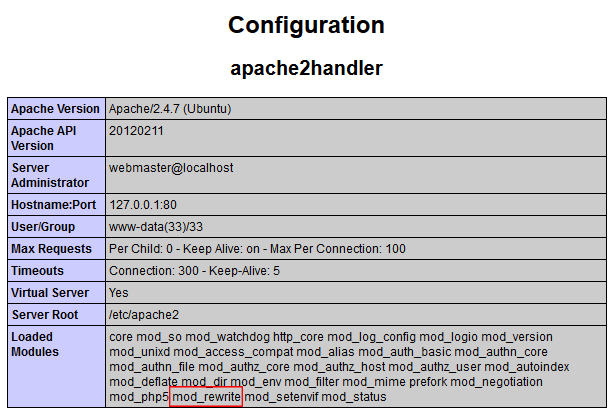
sudo service apache2 restartVoila! To check if mod_rewrite is installed correctly, check your phpinfo() output. It should have this in it: