
How to setup a config-free Wordpress, PHP and MySQL (for local development) in Windows 7 / 8 in under 3 minutes
If you need to setup Wordpress for local development and don’t have time and nerve to go through the installation process, then there’s a perfect solution for you:
Download and install AMPPS, a full-flavoured Apache/MySQL/PHP/PHPMyAdmin stack for Windows and Mac that has PHP 5.2, 5.3, 5.4 and 5.5, xdebug and other cool tools included.
Start AMPPS and go to http://127.0.0.1/ampps/ (or right-click the taskbar icon and select “AMPPS Home”).
Select Blogs > Wordpress > Install on this admin page.
Leave all the setting like they are. The Wordpress admin login credentials are: admin/pass (like shown on this page).
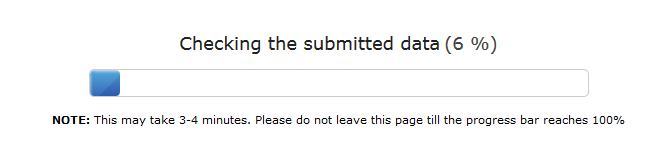
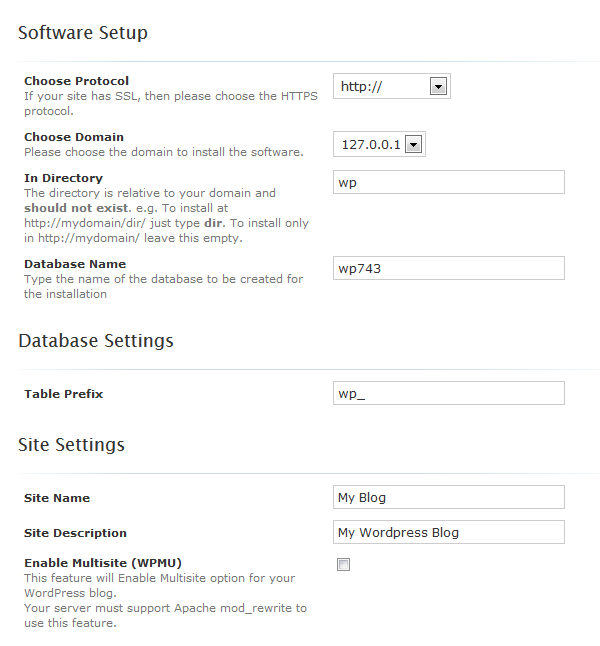 Click install. The installation will perform totally automatically.
 When it is finished, find your Wordpress blog in http://127.0.0.1/wp , your admin login screen under http://127.0.0.1/wp/wp-admin.
Voila! This is a real and fully flavoured Wordpress installation.
When it is finished, find your Wordpress blog in http://127.0.0.1/wp , your admin login screen under http://127.0.0.1/wp/wp-admin.
Voila! This is a real and fully flavoured Wordpress installation.