How to enable mod_rewrite in Ubuntu 12.04 LTS
A little note first: This is the most seen way to enable mod_rewrite in tutorials. However, it’s not the best way. The correct way would be to setup a vhost and change its config, but unless you are a professional and know exactly what you do this thing will do the job perfectly. Activate the mod_rewrite module with
sudo a2enmod rewriteand restart the apache
sudo service apache2 restartTo use mod_rewrite from within .htaccess files, edit the default VirtualHost with
sudo nano /etc/apache2/sites-available/defaultand change the first two occurrences of
AllowOverride Noneto
AllowOverride AllSave and exit the nano editor via CTRL-X, “y” and ENTER. Restart the server again:
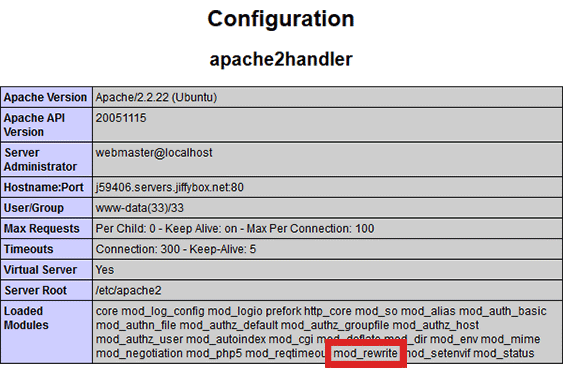
sudo service apache2 restartVoila! To check if everything is activated correctly, check your phpinfo() output. It should have this in it: